ubuntu init manual
- step 0. install
- step 1. config apt source
- step 2. config git
- step 3. config terminal
- step 4. config language
step 0. install
step 1. config apt source
1. change apt source
ref:
fastest/script way: 直接修改/etc/apt/sources.list
其中,第一种方案虽然可行,但是有两个缺点,一个是侵入性高,所以一般都会先备份一下原文件,然后使用替换命令。
Update 2022-01-24:实际上所有方式底层都是通过修改 apt sources.list 文件配置的,所以没有什么侵入性一说,都会先做备份。
GUI 版(也就是softwares & update app 里会提供测试,自动修改,改完之后触发更新操作,而这些其实可以自己用脚本完成,响应也更快!
APT_SOURCES_LIST_FILE=/etc/apt/sources.list
APT_SOURCE="http://mirrors.yun-idc.com/ubuntu/"

# backup & change source file
sudo sed -i.bak -E  "s|deb \S+|deb $APT_SOURCE|g" $APT_SOURCES_LIST_FILE

# e.g
sudo sed -i.bak -E  "s|deb \S+|deb http://mirrors.yun-idc.com/ubuntu/|g" /etc/apt/sources.list

# update source
sudo apt update
另一个就是,只能填入自己想填的源,但很可能不是最好的源。比如我一直以为阿里云的源很好,结果这次发现,极其地慢,我确认在update时走的是cn.xxx,但依旧只有十几 k。
robustest/recommend-for-newbie way: 在softwares & update里修改 server
第二种办法就是在softwares & update里自动测试最好的服务器,然后选择它。我测出来是yun-idc最好,但是因为我没用过,所以当时没考虑它,后来被阿里云折磨的不行了,就试了它,结果飞快,十兆每秒!
use others way: 使用别人写好的 git 仓库进行配置
第三种办法,由于我还没配好源,所以也没 git,而此时下载 git 又会极其地慢,所以也不考虑。
2. update apt
!!!tip If the following commands warn that files are locked, then wait for some minutes, or use lsof FILE to have a check, more refer to: - 解决 apt-get /var/lib/dpkg/lock-frontend 问题 - 知乎
sudo apt get update
sudo apt get upgrade
step 2. config git
sudo apt get git
git config --global user.name YOUR_NAME
git config --global user.email YOUR_EMAIL
step 3. config terminal
step 4. config language
resolution 1: config chinese input source via ibus
ibus 输入方式和搜狗输入法之间不是很兼容,如果出现两者都无法输入中文的情况,建议根据Ubuntu 18.04LTS 安装中文输入法以及快捷键设置 - 简书先卸载搜狗输入法,确认 ibus 是可以用的,具体就是:sudo apt-get remove fcitx*
确认以下配置:
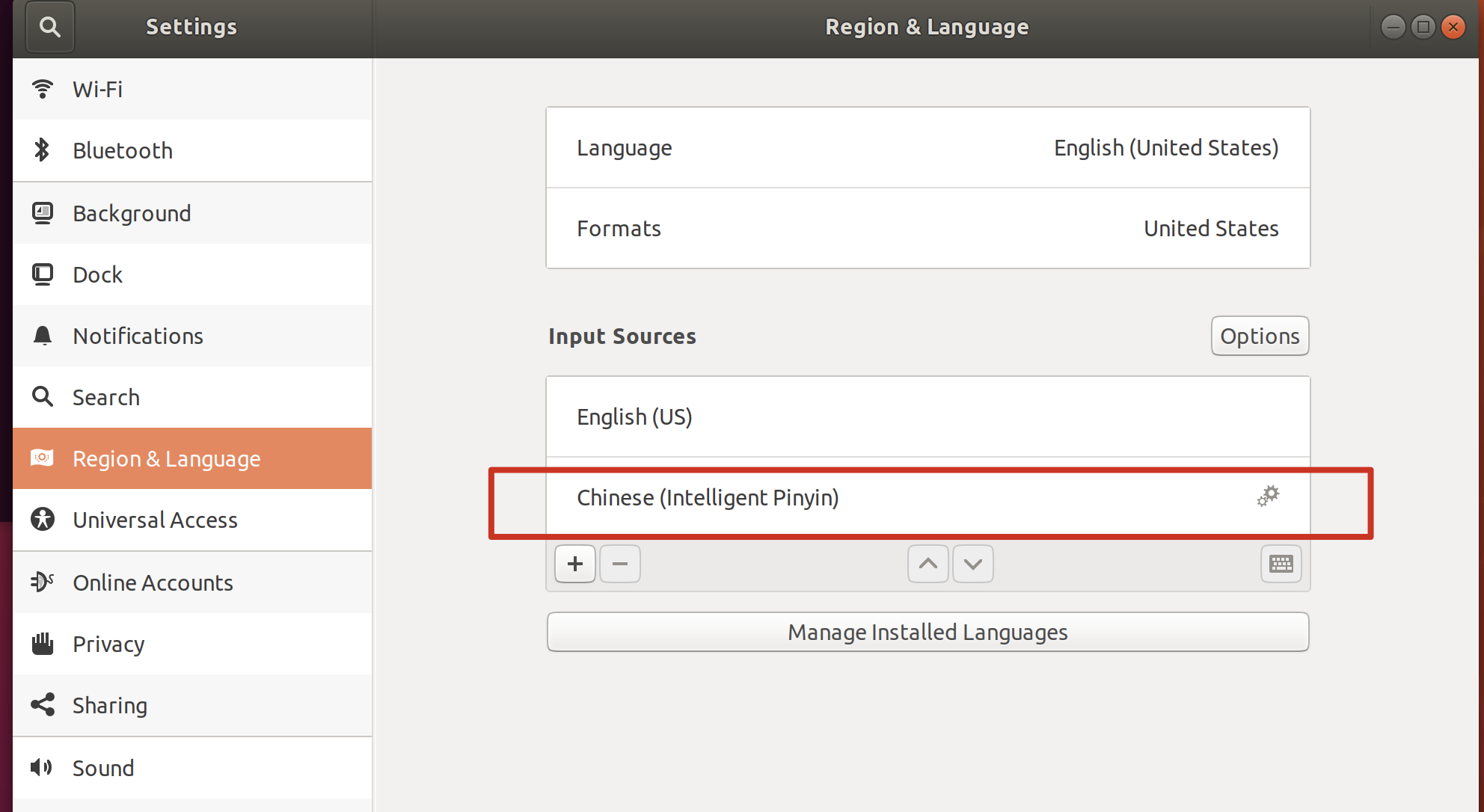
- 设置 - 地区与语言 - 输入法,中要添加包含智能拼音:
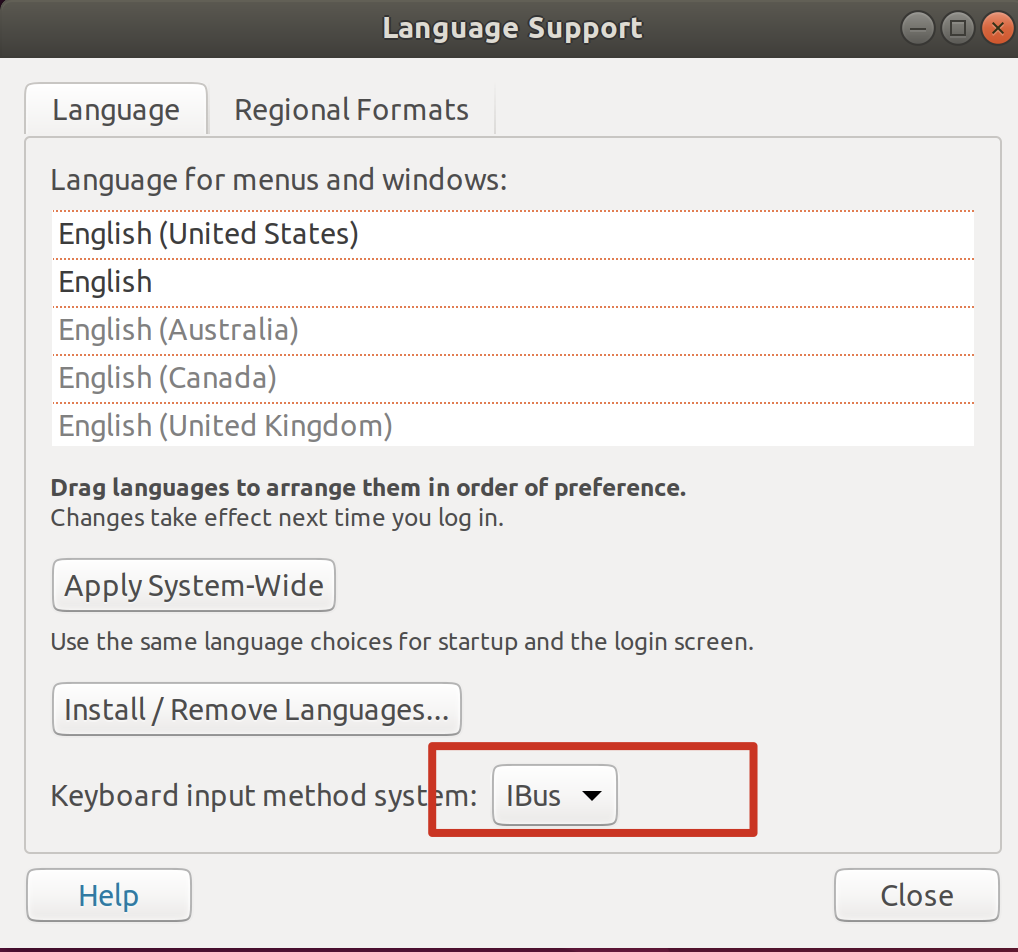
语言支持中,要启用 ibus 方案
注销账号重新登录即可。
如果注销账号还不行, 就要尝试
sudo reboot一下。
FIXME: resolution 2: config chinese input source via sougou
虽然按照官网走了好几遍,但始终还是没有配成这套方案,我也不知道什么原因。
而且 ibus 方案也必须在 fcitx 卸载之后才能正常使用。
参考官网:
更新:确保:
- 输入源中只有一个英文(不要有 ibus 的中文,否则会干扰)
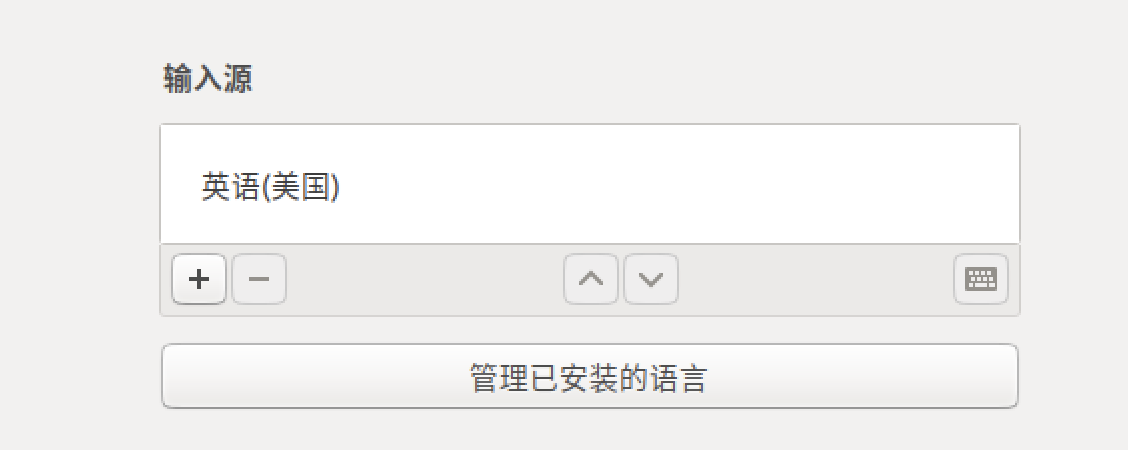
- 输入系统用
fcitx

再更新:算了吧,我个人觉得搜过 ubuntu 的 bug 是真地多,一会能用一会不能用,尤其是我在调成中文版能用后又调成英文版,然后用不了了,接着再怎么调中文版都用不了了,非常蛋疼。
how to switch language input source
The best way is to directly install the Chinese version of ubuntu, since the Chinese feature is built-in.
However, what we download directly from the official ubuntu website, may not support chinese choice natively. So it highly depends on what distribution version of ubuntu we download.
ref:
how to change language to english
echo export LANGUAGE=en_US.UTF-8 | sudo tee -a ~/.bashrc
ref: